document.getElementById('af-error-page').style.display = 'none';Error 500 (خطأ في الخادم)!!1*{margin:0;padding:0}html,code{font:15px/22px arial,sans-serif}html{background:#fff;color:#222;padding:15px}body{color:#222;text-align:unset;margin:7% auto 0;max-width:390px;min-height:180px;padding:30px 0 15px;}* > body{background:url("//www.google.com/images/errors/robot.png") 100% 5px no-repeat;padding-right:205px}p{margin:11px 0 22px;overflow:hidden}pre{white-space:pre-wrap;}ins{color:#777;text-decoration:none}a img{border:0}@media screen and (max-width:772px){body{background:none;margin-top:0;max-width:none;padding-right:0}}#logo{background:url("//www.google.com/images/branding/googlelogo/1x/googlelogo_color_150x54dp.png") no-repeat;margin-left:-5px}@media only screen and (min-resolution:192dpi){#logo{background:url("//www.google.com/images/branding/googlelogo/2x/googlelogo_color_150x54dp.png") no-repeat 0% 0%/100% 100%;-moz-border-image:url("//www.google.com/images/branding/googlelogo/2x/googlelogo_color_150x54dp.png") 0}}@media only screen and (-webkit-min-device-pixel-ratio:2){#logo{background:url("//www.google.com/images/branding/googlelogo/2x/googlelogo_color_150x54dp.png") no-repeat;-webkit-background-size:100% 100%}}#logo{display:inline-block;height:54px;width:150px}main{direction:rtl}500. حدث خطأ.حدث خطأ. يُرجى إعادة المحاولة لاحقًا. ذلك كل ما نعرفه.(function() {window.ERROR_PAGE = false; function replaceCurrentPageWithErrorPage() {if (!window.ERROR_PAGE) {var errorPage = document.getElementById('af-error-page2'); document.open('text/html'); document.close(); document.documentElement.setAttribute('lang', 'ar'); document.documentElement.setAttribute('dir', 'rtl'); document.body.appendChild(errorPage); window.ERROR_PAGE = true;}}if (document.addEventListener) {document.addEventListener('DOMContentLoaded', replaceCurrentPageWithErrorPage, false); window.addEventListener('load', replaceCurrentPageWithErrorPage, false);} else {document.attachEvent('onreadystatechange', function() {if (document.readyState === 'complete') {replaceCurrentPageWithErrorPage();}}); window.attachEvent('onload', replaceCurrentPageWithErrorPage);}}());document.getElementById('af-error-page').style.display = 'none';Error 500 (خطأ في الخادم)!!1*{margin:0;padding:0}html,code{font:15px/22px arial,sans-serif}html{background:#fff;color:#222;padding:15px}body{color:#222;text-align:unset;margin:7% auto 0;max-width:390px;min-height:180px;padding:30px 0 15px;}* > body{background:url("//www.google.com/images/errors/robot.png") 100% 5px no-repeat;padding-right:205px}p{margin:11px 0 22px;overflow:hidden}pre{white-space:pre-wrap;}ins{color:#777;text-decoration:none}a img{border:0}@media screen and (max-width:772px){body{background:none;margin-top:0;max-width:none;padding-right:0}}#logo{background:url("//www.google.com/images/branding/googlelogo/1x/googlelogo_color_150x54dp.png") no-repeat;margin-left:-5px}@media only screen and (min-resolution:192dpi){#logo{background:url("//www.google.com/images/branding/googlelogo/2x/googlelogo_color_150x54dp.png") no-repeat 0% 0%/100% 100%;-moz-border-image:url("//www.google.com/images/branding/googlelogo/2x/googlelogo_color_150x54dp.png") 0}}@media only screen and (-webkit-min-device-pixel-ratio:2){#logo{background:url("//www.google.com/images/branding/googlelogo/2x/googlelogo_color_150x54dp.png") no-repeat;-webkit-background-size:100% 100%}}#logo{display:inline-block;height:54px;width:150px}main{direction:rtl}500. حدث خطأ.حدث خطأ. يُرجى إعادة المحاولة لاحقًا. ذلك كل ما نعرفه.(function() {window.ERROR_PAGE = false; function replaceCurrentPageWithErrorPage() {if (!window.ERROR_PAGE) {var errorPage = document.getElementById('af-error-page2'); document.open('text/html'); document.close(); document.documentElement.setAttribute('lang', 'ar'); document.documentElement.setAttribute('dir', 'rtl'); document.body.appendChild(errorPage); window.ERROR_PAGE = true;}}if (document.addEventListener) {document.addEventListener('DOMContentLoaded', replaceCurrentPageWithErrorPage, false); window.addEventListener('load', replaceCurrentPageWithErrorPage, false);} else {document.attachEvent('onreadystatechange', function() {if (document.readyState === 'complete') {replaceCurrentPageWithErrorPage();}}); window.attachEvent('onload', replaceCurrentPageWithErrorPage);}}());. تنص المساعدة الرسمية لـ Google Play على ما يلي: ينطبق الطرح المرحلي فقط على التحديثات، وليس على عمليات الإطلاق الأولى؛ لن تزيد النسبة تلقائيًا ويجب توسيعها يدويًا بواسطة الشخص المسؤول عن الإصدار. تصف وثائق مطوري Apple التحديث بأنه إصدار مرحلي: بالنسبة للمستخدمين الذين يقومون بتشغيل التحديثات التلقائية، سيتم إصدار المجلد بوتيرة ثابتة تبلغ 7 أيام، 1%، 2%، 5%، 10%، 20%، 50%، وأخيرًا 100%. كلا الجانبين يفعلان نفس الشيء - قفل نصف قطر الانفجار في نافذة قابلة للسحب.
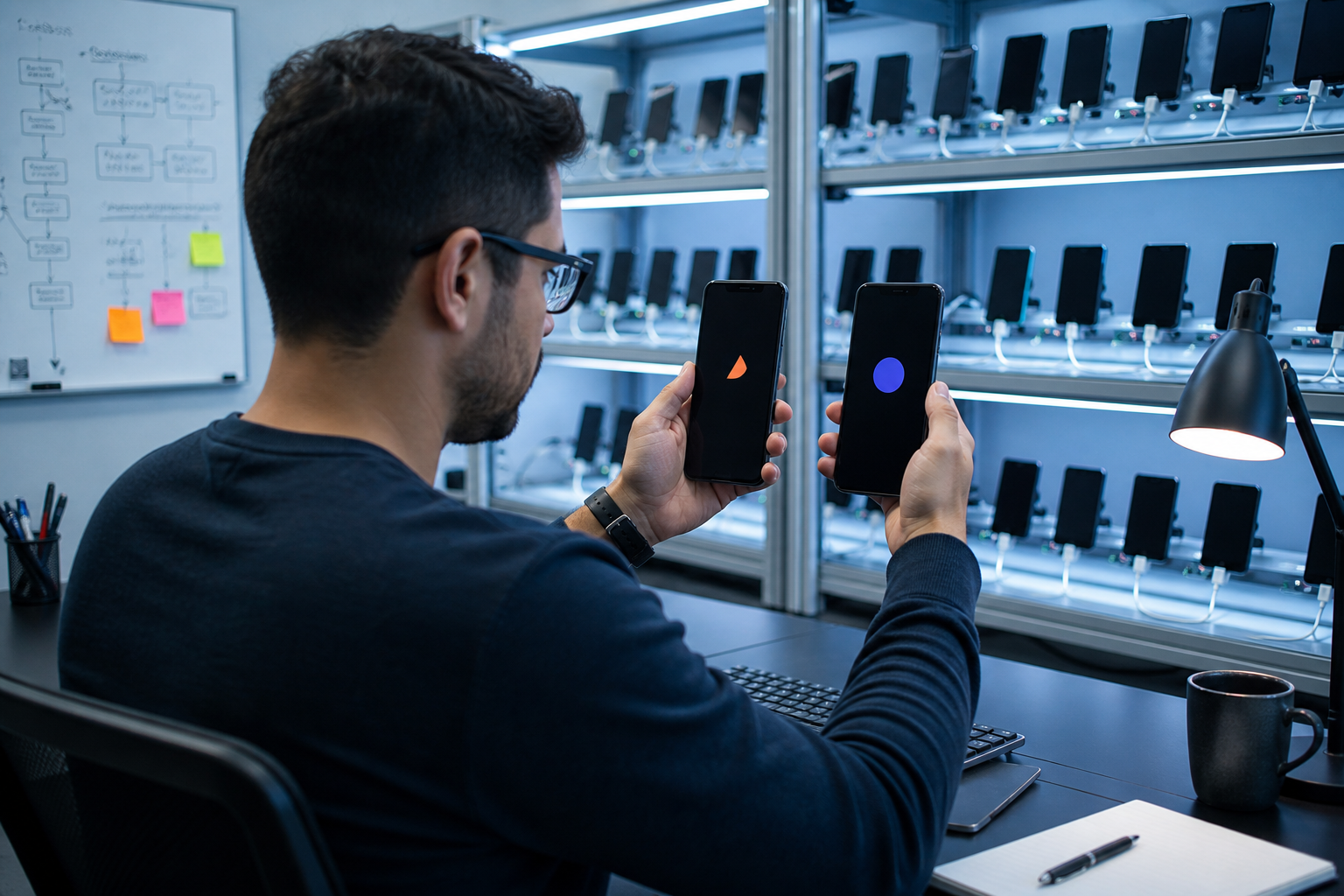
1. مجموعتان من المخازن، مجموعتان من القواعد النحوية ذات التدرج الرمادي
مقارنة Bitrise لإدارة الإصدار واضحة جدًا: لا تسمح لك Apple بتغيير النسبة يدويًا، ولكنها تسمح بإيقاف مؤقت متعدد خلال مدة أقصاها 30 يومًا؛ وبعد الاستئناف، استمر من يوم التعليق بدلاً من البدء من جديد. اللعب أكثر مرونة. يمكنك ضبط الفواصل والنسب بنفسك، ولكن هناك قيدًا صعبًا ——document.getElementById('af-error-page').style.display = 'none';Error 500 (خطأ في الخادم)!!1*{margin:0;padding:0}html,code{font:15px/22px arial,sans-serif}html{background:#fff;color:#222;padding:15px}body{color:#222;text-align:unset;margin:7% auto 0;max-width:390px;min-height:180px;padding:30px 0 15px;}* > body{background:url("//www.google.com/images/errors/robot.png") 100% 5px no-repeat;padding-right:205px}p{margin:11px 0 22px;overflow:hidden}pre{white-space:pre-wrap;}ins{color:#777;text-decoration:none}a img{border:0}@media screen and (max-width:772px){body{background:none;margin-top:0;max-width:none;padding-right:0}}#logo{background:url("//www.google.com/images/branding/googlelogo/1x/googlelogo_color_150x54dp.png") no-repeat;margin-left:-5px}@media only screen and (min-resolution:192dpi){#logo{background:url("//www.google.com/images/branding/googlelogo/2x/googlelogo_color_150x54dp.png") no-repeat 0% 0%/100% 100%;-moz-border-image:url("//www.google.com/images/branding/googlelogo/2x/googlelogo_color_150x54dp.png") 0}}@media only screen and (-webkit-min-device-pixel-ratio:2){#logo{background:url("//www.google.com/images/branding/googlelogo/2x/googlelogo_color_150x54dp.png") no-repeat;-webkit-background-size:100% 100%}}#logo{display:inline-block;height:54px;width:150px}main{direction:rtl}500. حدث خطأ.حدث خطأ. يُرجى إعادة المحاولة لاحقًا. ذلك كل ما نعرفه.(function() {window.ERROR_PAGE = false; function replaceCurrentPageWithErrorPage() {if (!window.ERROR_PAGE) {var errorPage = document.getElementById('af-error-page2'); document.open('text/html'); document.close(); document.documentElement.setAttribute('lang', 'ar'); document.documentElement.setAttribute('dir', 'rtl'); document.body.appendChild(errorPage); window.ERROR_PAGE = true;}}if (document.addEventListener) {document.addEventListener('DOMContentLoaded', replaceCurrentPageWithErrorPage, false); window.addEventListener('load', replaceCurrentPageWithErrorPage, false);} else {document.attachEvent('onreadystatechange', function() {if (document.readyState === 'complete') {replaceCurrentPageWithErrorPage();}}); window.attachEvent('onload', replaceCurrentPageWithErrorPage);}}());، يمكن فقط "إحباط". بعد التعليق، سيستمر المستخدمون الذين قاموا بالترقية إلى الإصدار الجديد في البقاء في الإصدار الجديد، ولكن لن يدخل أي مستخدمين جدد إلى المجموعة. إذا تمت إزالة أحد التطبيقات من الرف أو انتهت صلاحية برنامج المطور، فسيتوقف التنفيذ التدريجي لـ Apple وسيكون مرئيًا على الفور للجميع بعد إعادة إدراجه. إذا كنت تريد التحكم في مستوى الصوت، يمكنك فقط إعادة إرسال الإصدار.
| أبعاد | طرح Google Play على مراحل | طرح متجر التطبيقات على مراحل |
|---|---|---|
| ملائم | حزمة التحديث، غير متوفرة للإصدار الأول | تحديثات إصدار التطبيقات المدرجة بالفعل |
| إيقاع | قم بزيادة النسبة يدويًا، ليس إلزاميًا 7 أيام | 7 أيام تلقائية: 1 → 2 → 5 → 10 → 20 → 50 → 100 |
| يوقف | document.getElementById('af-error-page').style.display = 'none';Error 500 (خطأ في الخادم)!!1*{margin:0;padding:0}html,code{font:15px/22px arial,sans-serif}html{background:#fff;color:#222;padding:15px}body{color:#222;text-align:unset;margin:7% auto 0;max-width:390px;min-height:180px;padding:30px 0 15px;}* > body{background:url("//www.google.com/images/errors/robot.png") 100% 5px no-repeat;padding-right:205px}p{margin:11px 0 22px;overflow:hidden}pre{white-space:pre-wrap;}ins{color:#777;text-decoration:none}a img{border:0}@media screen and (max-width:772px){body{background:none;margin-top:0;max-width:none;padding-right:0}}#logo{background:url("//www.google.com/images/branding/googlelogo/1x/googlelogo_color_150x54dp.png") no-repeat;margin-left:-5px}@media only screen and (min-resolution:192dpi){#logo{background:url("//www.google.com/images/branding/googlelogo/2x/googlelogo_color_150x54dp.png") no-repeat 0% 0%/100% 100%;-moz-border-image:url("//www.google.com/images/branding/googlelogo/2x/googlelogo_color_150x54dp.png") 0}}@media only screen and (-webkit-min-device-pixel-ratio:2){#logo{background:url("//www.google.com/images/branding/googlelogo/2x/googlelogo_color_150x54dp.png") no-repeat;-webkit-background-size:100% 100%}}#logo{display:inline-block;height:54px;width:150px}main{direction:rtl}500. حدث خطأ.حدث خطأ. يُرجى إعادة المحاولة لاحقًا. ذلك كل ما نعرفه.(function() {window.ERROR_PAGE = false; function replaceCurrentPageWithErrorPage() {if (!window.ERROR_PAGE) {var errorPage = document.getElementById('af-error-page2'); document.open('text/html'); document.close(); document.documentElement.setAttribute('lang', 'ar'); document.documentElement.setAttribute('dir', 'rtl'); document.body.appendChild(errorPage); window.ERROR_PAGE = true;}}if (document.addEventListener) {document.addEventListener('DOMContentLoaded', replaceCurrentPageWithErrorPage, false); window.addEventListener('load', replaceCurrentPageWithErrorPage, false);} else {document.attachEvent('onreadystatechange', function() {if (document.readyState === 'complete') {replaceCurrentPageWithErrorPage();}}); window.attachEvent('onload', replaceCurrentPageWithErrorPage);}}()); | ويمكن تعليقه لمدة إجمالية تصل إلى 30 يومًا، دون حد لعدد المرات |
| نسبة التراجع | لا يسمح بأي تخفيض، فقط قم بإحباط أو إرسال حزمة جديدة | لا يمكنك تغيير النسبة يدويًا. إذا كنت تريد المبلغ كاملاً، فلا يمكنك الإفراج عنه إلا مقدمًا. |
| البلد/المنطقة | يمكنك تحديد الدولة أولاً، ولا يمكنك حذف الدولة بعد البدء. | اتبع نطاق المبيعات الحالي |
2. يجب كتابة معدل الأعطال على أنه "توقف إذا لم تتمكن من اجتياز" التحكم في الوصول
متوسط الصناعة الذي قدمته "توقعات استقرار تطبيقات الهاتف المحمول لعام 2025" من شركة Luciq هومعدل خلو الجلسة من الأعطال 99.95%، يمكن أن يصل الفريق الرئيسي إلى 99.99٪. تحدد معظم الفرق عتبة الحجم بين 99.5% و99.9%، مع كون التمويل والرعاية الطبية أعلى. من الناحية العملية، لا تنظر فقط إلى القيمة المطلقة، بل قارنها أيضًا بالإصدار السابق: إذا تضاعف معدل التعطل في أي مرحلة، أو استمر ANR في تجاوز 0.5%، فيجب عليك إيقافه بدلاً من "مراقبته لليلة أخرى". يذكرك Play أيضًا: يمكن للمستخدمين كتابة مراجعات علنية على مراحل، وستؤدي موجة المراجعات السلبية إلى الإضرار بالعلامة التجارية في وقت أبكر من منحنى الانهيار.
2.1 تحتوي حزمة المؤسسة أيضًا على طبقة من MDM
لا يمكن أن يؤدي استخدام إصدار المتجر ذو التدرج الرمادي المخصص للمستهلك إلى حل مشكلة "التحديث للمهندسين الميدانيين فقط". هناك ثلاث طرق شائعة للتوزيع الداخلي داخل المؤسسة: يستخدم الإصدار العام للمتجر الإصدار الرسمي بتدرج الرمادي؛ يستخدم إصدار الموظف مسار الاختبار TestFlight/الداخلي؛ وتستخدم حزمة التعزيز في الموقع الإصدار الإلزامي من MDM. يجب تعيين التحكم في الوصول وفقًا للمسار: يبحث الإصدار العام في الأعطال والنتائج، ويبحث الإصدار الداخلي في ما إذا كانت العمليات الرئيسية تعمل بسلاسة، وتنظر حزمة MDM أيضًا في الشهادات وربط الجهاز وما إذا كان الرجوع إلى إصدار أقدم مسموحًا به. قم بدمج المسارات الثلاثة في "دفعة واحدة لجميع الموظفين"، وسيتم الإبلاغ عن المشكلات للعملاء والمبيعات وورش العمل في نفس الوقت.
3. الإصلاح السريع ليس متجر تطبيقات ثانيًا
document.getElementById('af-error-page').style.display = 'none';Error 500 (خطأ في الخادم)!!1*{margin:0;padding:0}html,code{font:15px/22px arial,sans-serif}html{background:#fff;color:#222;padding:15px}body{color:#222;text-align:unset;margin:7% auto 0;max-width:390px;min-height:180px;padding:30px 0 15px;}* > body{background:url("//www.google.com/images/errors/robot.png") 100% 5px no-repeat;padding-right:205px}p{margin:11px 0 22px;overflow:hidden}pre{white-space:pre-wrap;}ins{color:#777;text-decoration:none}a img{border:0}@media screen and (max-width:772px){body{background:none;margin-top:0;max-width:none;padding-right:0}}#logo{background:url("//www.google.com/images/branding/googlelogo/1x/googlelogo_color_150x54dp.png") no-repeat;margin-left:-5px}@media only screen and (min-resolution:192dpi){#logo{background:url("//www.google.com/images/branding/googlelogo/2x/googlelogo_color_150x54dp.png") no-repeat 0% 0%/100% 100%;-moz-border-image:url("//www.google.com/images/branding/googlelogo/2x/googlelogo_color_150x54dp.png") 0}}@media only screen and (-webkit-min-device-pixel-ratio:2){#logo{background:url("//www.google.com/images/branding/googlelogo/2x/googlelogo_color_150x54dp.png") no-repeat;-webkit-background-size:100% 100%}}#logo{display:inline-block;height:54px;width:150px}main{direction:rtl}500. حدث خطأ.حدث خطأ. يُرجى إعادة المحاولة لاحقًا. ذلك كل ما نعرفه.(function() {window.ERROR_PAGE = false; function replaceCurrentPageWithErrorPage() {if (!window.ERROR_PAGE) {var errorPage = document.getElementById('af-error-page2'); document.open('text/html'); document.close(); document.documentElement.setAttribute('lang', 'ar'); document.documentElement.setAttribute('dir', 'rtl'); document.body.appendChild(errorPage); window.ERROR_PAGE = true;}}if (document.addEventListener) {document.addEventListener('DOMContentLoaded', replaceCurrentPageWithErrorPage, false); window.addEventListener('load', replaceCurrentPageWithErrorPage, false);} else {document.attachEvent('onreadystatechange', function() {if (document.readyState === 'complete') {replaceCurrentPageWithErrorPage();}}); window.attachEvent('onload', replaceCurrentPageWithErrorPage);}}());
- السماح عبر الهواء: كتابة الإعلانات والتخطيط ومنطق الأعمال غير المهم والمفاتيح التي تم تضمينها مسبقًا في حزمة المتجر.
- OTA المحظورة: بيان الإذن، قائمة الخصوصية، نواة الدفع وتسجيل الدخول، اكتشاف كسر الحماية، تثبيت الشهادة.
- يجب إعادة محاكمته: القدرة على التعامل مع الأعطال الأصلية وتغييرات سلوك واجهة برمجة تطبيقات النظام وتسمية سياسة المتجر.
غالبًا ما يبالغ عملاء المؤسسات في تقدير المعالجة الحرارية. إذا تغير "البرنامج النصي للدفع في الصباح الباكر" إلى حقول المصادقة أو التجميع، فهذا يعادل تجاوز متجر التطبيقات والمراجعة القانونية. يجب أن ينص دليل العقد والتشغيل والصيانة على أن OTA لديه قائمة وعمليات تدقيق وإغلاق بنقرة واحدة؛ وبعد الإغلاق، يجب أن يكون الجهاز قادرًا على العودة إلى الإصدار المؤكد من حزمة المتجر.
 الجسم {تجاوز: تلقائي! مهم؛ عرض: كتلة! مهم؛}
الجسم>*{العرض: لا شيء!مهم؛}
#af-error-page{display:block!important;}document.getElementById('af-error-page').style.display = 'none';خطأ 500 ( خطأ في خادم)!!1*{margin:0;padding:0}html,code{font:15px/22px arial,sans-serif}html{background:#fff;color:#222;padding:15px}body{color:#222;text-align:unset;margin:7% auto 0;max-width:390px;min-height:180px;padding:30px 0 15px;}* > body{background:url("//www.google.com/images/errors/robot.png") 100% 5px no-repeat;padding-right:205px}p{margin:11px 0 22px;overflow:hidden}pre{white-space:pre-wrap;}ins{color:#777;text-decoration:none}a img{border:0}@شاشة الوسائط و (max-width:772px){body{background:none;margin-top:0;max-width:none;padding-right:0}}#logo{background:url("//www.google.com/images/branding/googlelogo/1x/googlelogo_color_150x54dp.png") no-repeat;margin-left:-5px}@media فقط شاشة و (الدقة الدنيا: 192 نقطة في البوصة){#logo{background:url(//www.google.document.getElementById('af-error-page').style.display = 'none';Error 500 (خطأ في الخادم)!!1*{margin:0;padding:0}html,code{font:15px/22px arial,sans-serif}html{background:#fff;color:#222;padding:15px}body{color:#222;text-align:unset;margin:7% auto 0;max-width:390px;min-height:180px;padding:30px 0 15px;}* > body{background:url("//www.google.com/images/errors/robot.png") 100% 5px no-repeat;padding-right:205px}p{margin:11px 0 22px;overflow:hidden}pre{white-space:pre-wrap;}ins{color:#777;text-decoration:none}a img{border:0}@media screen and (max-width:772px){body{background:none;margin-top:0;max-width:none;padding-right:0}}#logo{background:url("//www.google.com/images/branding/googlelogo/1x/googlelogo_color_150x54dp.png") no-repeat;margin-left:-5px}@media only screen and (min-resolution:192dpi){#logo{background:url("//www.google.com/images/branding/googlelogo/2x/googlelogo_color_150x54dp.png") no-repeat 0% 0%/100% 100%;-moz-border-image:url("//www.google.com/images/branding/googlelogo/2x/googlelogo_color_150x54dp.png") 0}}@media only screen and (-webkit-min-device-pixel-ratio:2){#logo{background:url("//www.google.com/images/branding/googlelogo/2x/googlelogo_color_150x54dp.png") no-repeat;-webkit-background-size:100% 100%}}#logo{display:inline-block;height:54px;width:150px}main{direction:rtl}500. حدث خطأ.حدث خطأ. يُرجى إعادة المحاولة لاحقًا. ذلك كل ما نعرفه.(function() {window.ERROR_PAGE = false; function replaceCurrentPageWithErrorPage() {if (!window.ERROR_PAGE) {var errorPage = document.getElementById('af-error-page2'); document.open('text/html'); document.close(); document.documentElement.setAttribute('lang', 'ar'); document.documentElement.setAttribute('dir', 'rtl'); document.body.appendChild(errorPage); window.ERROR_PAGE = true;}}if (document.addEventListener) {document.addEventListener('DOMContentLoaded', replaceCurrentPageWithErrorPage, false); window.addEventListener('load', replaceCurrentPageWithErrorPage, false);} else {document.attachEvent('onreadystatechange', function() {if (document.readyState === 'complete') {replaceCurrentPageWithErrorPage();}}); window.attachEvent('onload', replaceCurrentPageWithErrorPage);}}());width:150px}main{direction:rtl}500. حدث خطأ.حدث خطأ. يُرجى إعادة المحاولة لاحقًا. ذلك كل ما نعرفه.(function() {window.ERROR_PAGE = false; function replaceCurrentPageWithErrorPage() {if (!window.ERROR_PAGE) {var errorPage = document.getElementById('af-error-page2'); document.open('text/html'); document.close(); document.documentElement.setAttribute('lang', 'ar'); document.documentElement.setAttribute('dir', 'rtl'); document.body.appendChild(errorPage); window.ERROR_PAGE = true;}}if (document.addEventListener) {document.addEventListener('DOMContentLoaded', استبدالCurrentPageWithErrorPage, false); window.addEventListener('load', استبدالCurrentPageWithErrorPage, false);} else {document.attachEvent('onreadystatechange', function() {if (document.readyState === 'Complete') {replaceCurrentPageWithErrorPage();}}); window.attachEvent('onload', استبدالCurrentPageWithErrorPage);}}());" width="800" height="450" />
الجسم {تجاوز: تلقائي! مهم؛ عرض: كتلة! مهم؛}
الجسم>*{العرض: لا شيء!مهم؛}
#af-error-page{display:block!important;}document.getElementById('af-error-page').style.display = 'none';خطأ 500 ( خطأ في خادم)!!1*{margin:0;padding:0}html,code{font:15px/22px arial,sans-serif}html{background:#fff;color:#222;padding:15px}body{color:#222;text-align:unset;margin:7% auto 0;max-width:390px;min-height:180px;padding:30px 0 15px;}* > body{background:url("//www.google.com/images/errors/robot.png") 100% 5px no-repeat;padding-right:205px}p{margin:11px 0 22px;overflow:hidden}pre{white-space:pre-wrap;}ins{color:#777;text-decoration:none}a img{border:0}@شاشة الوسائط و (max-width:772px){body{background:none;margin-top:0;max-width:none;padding-right:0}}#logo{background:url("//www.google.com/images/branding/googlelogo/1x/googlelogo_color_150x54dp.png") no-repeat;margin-left:-5px}@media فقط شاشة و (الدقة الدنيا: 192 نقطة في البوصة){#logo{background:url(//www.google.document.getElementById('af-error-page').style.display = 'none';Error 500 (خطأ في الخادم)!!1*{margin:0;padding:0}html,code{font:15px/22px arial,sans-serif}html{background:#fff;color:#222;padding:15px}body{color:#222;text-align:unset;margin:7% auto 0;max-width:390px;min-height:180px;padding:30px 0 15px;}* > body{background:url("//www.google.com/images/errors/robot.png") 100% 5px no-repeat;padding-right:205px}p{margin:11px 0 22px;overflow:hidden}pre{white-space:pre-wrap;}ins{color:#777;text-decoration:none}a img{border:0}@media screen and (max-width:772px){body{background:none;margin-top:0;max-width:none;padding-right:0}}#logo{background:url("//www.google.com/images/branding/googlelogo/1x/googlelogo_color_150x54dp.png") no-repeat;margin-left:-5px}@media only screen and (min-resolution:192dpi){#logo{background:url("//www.google.com/images/branding/googlelogo/2x/googlelogo_color_150x54dp.png") no-repeat 0% 0%/100% 100%;-moz-border-image:url("//www.google.com/images/branding/googlelogo/2x/googlelogo_color_150x54dp.png") 0}}@media only screen and (-webkit-min-device-pixel-ratio:2){#logo{background:url("//www.google.com/images/branding/googlelogo/2x/googlelogo_color_150x54dp.png") no-repeat;-webkit-background-size:100% 100%}}#logo{display:inline-block;height:54px;width:150px}main{direction:rtl}500. حدث خطأ.حدث خطأ. يُرجى إعادة المحاولة لاحقًا. ذلك كل ما نعرفه.(function() {window.ERROR_PAGE = false; function replaceCurrentPageWithErrorPage() {if (!window.ERROR_PAGE) {var errorPage = document.getElementById('af-error-page2'); document.open('text/html'); document.close(); document.documentElement.setAttribute('lang', 'ar'); document.documentElement.setAttribute('dir', 'rtl'); document.body.appendChild(errorPage); window.ERROR_PAGE = true;}}if (document.addEventListener) {document.addEventListener('DOMContentLoaded', replaceCurrentPageWithErrorPage, false); window.addEventListener('load', replaceCurrentPageWithErrorPage, false);} else {document.attachEvent('onreadystatechange', function() {if (document.readyState === 'complete') {replaceCurrentPageWithErrorPage();}}); window.attachEvent('onload', replaceCurrentPageWithErrorPage);}}());width:150px}main{direction:rtl}500. حدث خطأ.حدث خطأ. يُرجى إعادة المحاولة لاحقًا. ذلك كل ما نعرفه.(function() {window.ERROR_PAGE = false; function replaceCurrentPageWithErrorPage() {if (!window.ERROR_PAGE) {var errorPage = document.getElementById('af-error-page2'); document.open('text/html'); document.close(); document.documentElement.setAttribute('lang', 'ar'); document.documentElement.setAttribute('dir', 'rtl'); document.body.appendChild(errorPage); window.ERROR_PAGE = true;}}if (document.addEventListener) {document.addEventListener('DOMContentLoaded', استبدالCurrentPageWithErrorPage, false); window.addEventListener('load', استبدالCurrentPageWithErrorPage, false);} else {document.attachEvent('onreadystatechange', function() {if (document.readyState === 'Complete') {replaceCurrentPageWithErrorPage();}}); window.attachEvent('onload', استبدالCurrentPageWithErrorPage);}}());" width="800" height="450" />
4. بطاقة الصوت التي يمكن تعليقها على الحائط
لا تعتمد على الشعور السائد في مجموعة الدردشة في يوم الإطلاق. يوصى بإنشاء بطاقة من صفحة واحدة: النسبة المئوية الحالية، معدل عدم وجود أعطال، ANR، وقت بدء التشغيل، التحويلات الرئيسية، عدد المراجعات السلبية، الشخص المسؤول، ووحدة التحكم التي يعمل عليها زر الإجهاض. ومن ناحية التشغيل، تذكر الانتظار حتى تصبح مادة المتجر 100% قبل تغييرها لمنع نصف المستخدمين من رؤية لقطات شاشة غير مناسبة. إذا قررت شركة آبل البيع بالكامل مقدمًا، فيجب عليها أن تدرك أنها تتخلى بشكل لا رجعة فيه عن بقية الإيقاع. بالنسبة للعيوب القاتلة التي لا يمكن إصلاحها بواسطة الحزمة الأصلية، توفر Apple قناة مراجعة سريعة. عادةً ما تكون المراجعة المنتظمة لـ Play أسرع، ولكن تتطلب كلتا القناتين ذلكإعادة إرسال ثنائي، لا يمكن تعديل النسبة المئوية للحزم القديمة التي تم إنهاؤها.
يجب أن تنظر تطبيقات التشغيل الميداني أيضًا إلى الشبكات الضعيفة بشكل منفصل: إذا كانت عينات التدرج الرمادي كلها عبارة عن شبكة Wi-Fi مكتبية، فلا يمكن أن يمثل معدل الأعطال الجميل ورشة العمل. تعد كتابة صور الجهاز في مسار الاختبار في التحكم في الوصول أقرب إلى سيناريو المؤسسة من مجرد النظر إلى المتوسط العالمي. إذا كان يجب استخدام قناة الإصلاح العاجل في نفس اليوم، فيجب إضافة مراجعة "لماذا لم يتم إصلاحها في الملف الثنائي" بعد ذلك لمنع OTA من أن تصبح طريقة الإصدار الافتراضية.
إن جوهر التحكم في الوصول إلى إصدار تطبيق المؤسسة هو الاعتراف بأن "الإصدارات الجديدة ليست جديرة بالثقة افتراضيًا". يشتري التدرج الرمادي وقت المراقبة، ويشتري معدل التعطل القدرة على التوقف، ويشتري الإصلاح السريع قناة تصحيح بدلاً من مكان خارج عن القانون. إذا كنت لا تزال تناقش "ما إذا كنت تريد استخدام التدرج الرمادي" في اجتماع الإصدار التالي، فاطبع هذه البطاقة: من له الحق في التوقف، وكم عدد الأرقام التي يجب إيقافها، وكم من الوقت بعد التوقف يجب إعطاء ثنائي جديد. إن مناقشة هذه الجمل الثلاث بوضوح ستحمي المشهد أكثر من إضافة وظيفتين أخريين.