
At eight o’clock in the morning, the planner opened Excel and found that the work-in-progress quantities for all three production lines were still those entered by the previous night shift. The workshop director said, “It’s pretty much running,” but no one could say exactly which process was bottlenecking or which work order would miss its delivery deadline. This isn’t an isolated management oversight at a single factory; rather, it is…The process progress lacks a real-time platform.The norm at the time: work orders were in the ERP system, job reporting was done on paper or in WeChat groups, and the on-site status long remained disconnected from the system records.
Why can’t spreadsheets and WeChat groups handle progress management?
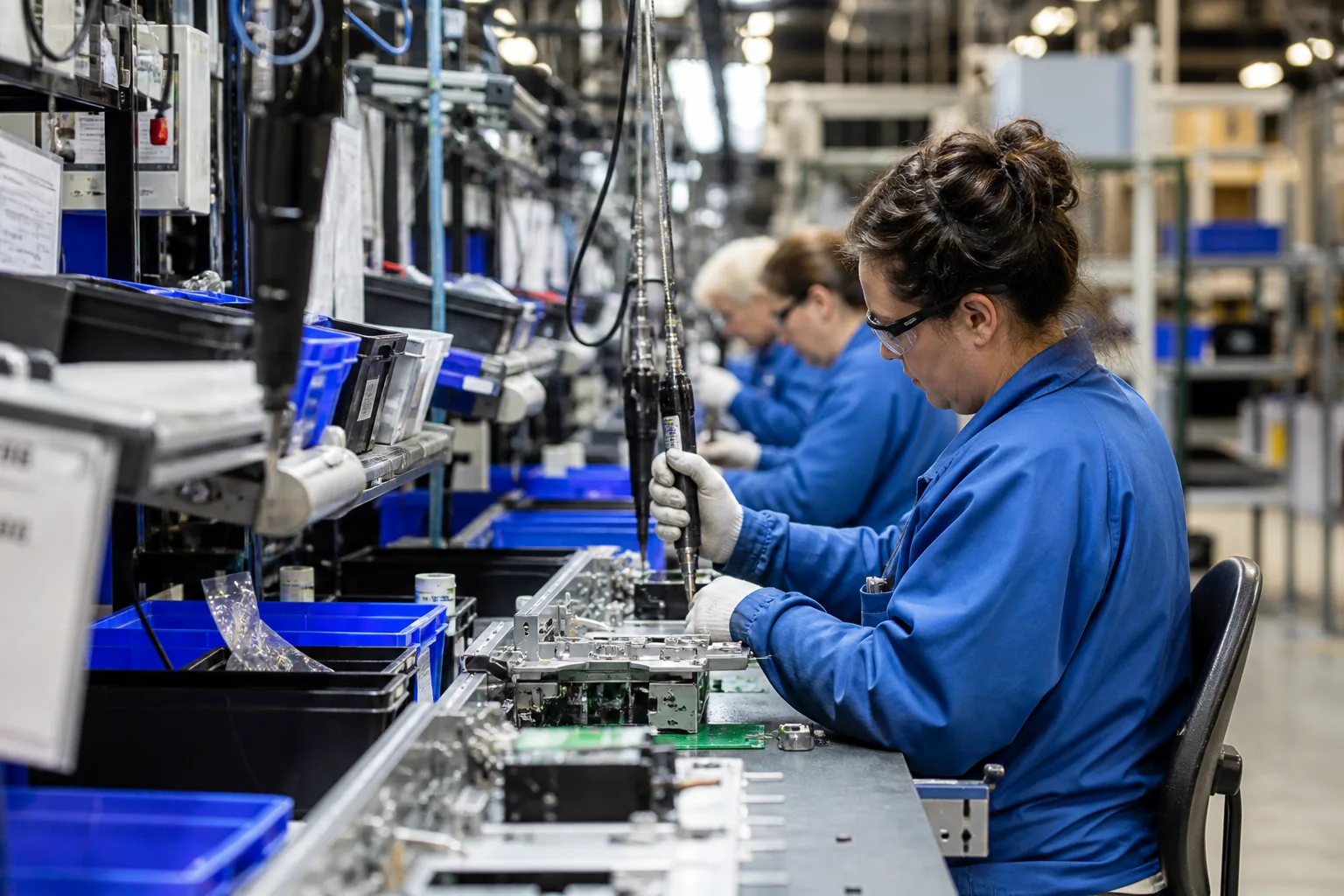
A common practice among small and medium-sized manufacturing enterprises is: the ERP system issues work orders, team leaders record the completed quantities on daily shift schedules, and any abnormalities are documented with photos sent via WeChat groups. This model is inFew product varieties, stable batch sizes, and low changeover frequency.Fashion can be sustained, but once rush orders, rework, outsourced returns, or multiple processes run in parallel occur, information begins to become distorted.
Typical pain points include:Work-in-progress (WIP) cannot be aggregated at the process level.——The warehouse knows when raw materials have arrived, and the finished goods warehouse knows how much was received today, but the status of the dozen or so intermediate processes remains a black box;Work reporting is delayed.——Workers are busy with production, and time reporting is scheduled after work hours, so the planner always sees only a “historical snapshot”;Abnormalities are not traceable.——When there is a quality dispute over a batch of goods, it is impossible to quickly determine which process step, which operator, which machine, and which parameters were involved.
To solve this problem, the software needs to address not “just creating another spreadsheet,” but rather toProcess—Work Order—Work in Progress—Delivery DateForm a verifiable data chain.
How to break down the business: from work orders to the process state machine
The business core of the production progress system is to take aProduction work orderBreak it into severalProcess task, each process task has clearly defined: input materials, output materials, standard man-hours, pass/fail criteria, and whether tasks can be performed in parallel or must be executed sequentially.
Ticket Layer: Planning and Commitment
A work order carries the customer’s delivery date, planned start/completion times, priority, and associated sales orders or forecasts. The work order state machine typically includes: pending issuance, in production, paused, completed, and closed. The key isWork orders cannot have only one coarse-grained status of “In Production.”, otherwise the progress percentage can only be estimated manually.
Process layer: the smallest executable unit
Each process should be defined with: process code, work center/production line, setup time, processing time, and queuing rule (first-come-first-served or priority preemption). The process state machine is recommended to include at least: pending start, in processing, awaiting inspection, qualified completion, non‑conforming pending disposition, outsourced dispatch, and outsourced return.
Work-in-Process Layer: Quantity and Location
Work-in-progress is not an abstract number, but ratherThe quantity of a certain work order that is pending processing, in processing, or awaiting transfer at a specific process step.. When designing, you must answer: From the completion of operation A to the start of operation B, is the material in the line-side warehouse, in transit on pallets, or in the operation buffer? Each transfer should have a location or container identifier; otherwise, WIP accounting will inevitably be inaccurate.

How to design: roles, processes, and data models
Roles and Permissions
Typical roles include: Planner (issuing/adjusting work orders, monitoring overall WIP), Team Leader (assigning tasks, handling exceptions), Operator (starting/finishing work, scanning codes), Quality Inspector (making inspection judgments, managing non-conformances), Process Engineer (maintaining process standards and parameters), and Production Manager (managing dashboards and KPIs). Permission principles:Only necessary write permissions are granted on-site., preventing workers from mistakenly modifying the schedule; management can only view aggregated data and cannot directly edit work reporting details.
Core Process
- Issue: Receive work orders from ERP/MRP and generate operation task queues based on the BOM and routing.
- Work assignment: The team leader assigns process tasks to production lines/workstations/shifts, supporting batch dispatching and priority reordering.
- Start of work: The operator scans the work order, process, and equipment; the system records the actual start time and the operator, and freezes the “pending start” quantity.
- Work reporting: Completed quantity, scrap quantity, man-hours, and exception codes; supports partial work reporting (a batch completed in multiple stages).
- Transfer: Confirm the transfer of work-in-process between processes, and update line-side inventory and the next-process queue awaiting start.
- Close: After the final process reports work completion, the work order is automatically or manually triggered to be closed, and the ERP inbound instruction is written back.
Key points of the data model
It is recommended to maintain independently:work_order(ticket),operation_task(Work process task),operation_report(work reporting record),wip_balance(Work-in-process inventory),exception_log(Shutdown/Material Shortage/Quality Anomalies). Each table retainsImmutable timestamps and operators, only then will there be a basis for dispute tracing. The interface with ERP adoptsEvent-driven: Reporting work completion triggers an API write-back, rather than nightly batch reconciliation— the latter is always half a step behind.
How to develop and implement: data collection, interfaces, and acceptance testing
On-site data collection method selection
Use in combination according to scenarios:Barcode/QR code(Work order tickets, circulation cards, and material batches) are suitable for discrete manufacturing;Workstation terminal or industrial tabletSuitable for reporting work progress in fixed processes;Andon button or IoT countingSuitable for highly repetitive production lines;Mobile mini-programSuitable for inspection and outsourced goods return confirmation. Principle:A single scan completes the binding of project commencement, equipment, and operator., reduce unnecessary steps for workers; otherwise, the union will be bypassed.
The boundary with ERP/MES
If a company already has an ERP production module, the progress system can be positioned asWorkshop Execution Layer (Light MES): ERP manages planning and costs, while the execution layer tracks real-time status. The interface must clearly define: who is responsible for master data (materials, BOMs, and routing); the granularity of work reporting and write-back (by operation or by work order); and whether reverse adjustments are permitted for abnormal work orders. Avoid having two systems each recording its own completion figures—reconciliation costs will eat up all efficiency gains.
Acceptance criteria (can be included in the contract)
- Any work order can be found within 30 seconds.Current process, work-in-progress quantity, latest time of work reporting。
- After the rush order is placed, the affected work orders'Predicted completion timeAutomatic recalculation, with errors within an acceptable range (e.g., ±4 hours).
- In quality dispute scenarios, it can be pulled up within 5 minutes.Process—Operator—Equipment—ParametersTraceability chain.
- Planner dashboard and on-site work reporting delaysNo more than 15 minutes(When the network is normal.)
Suggested rollout timeline: Select one production line and two typical work orders (high-volume steady-state + small-batch rush orders) for a pilot, ensuring smooth execution of dispatch—work reporting—transfer—data backfilling before scaling horizontally. The training focus should not be on the “system feature list,” but rather…Who made the changes during an exception, how were they made, and how is a trace left after the changes are completed?。
Common pitfalls and how to avoid them
Only do dashboards, not closed loops.: The large screen looks great, but the data is entered manually, and after two weeks, no one maintains it.Overly fine-grained process segmentation: Work reporting has skyrocketed, leading to worker resistance.Neglects outsourcing and rework: Progress shows “100%” at the in-house stage, yet the goods are still with the supplier.Disconnected from piece-rate wages: Work reporting data is not recognized by the payroll system, prompting immediate “selective reporting” on the shop floor. Rules should be established during the design phase, involving production, quality, and finance.
Turning process progress from “asking people” to “checking the system” essentially turns on-site visibility into a product. Operationally, first clarify work orders and process state machines; architecturally, tightly bind roles and make timekeeping immutable; development-wise, choose the right data collection method and lock down ERP interface contracts—only then will delivery-date alerts and WIP visualization become byproducts rather than new burdens.
Shandong XYN Information Technology Co., Ltd. (XYN Tech) has long delivered customized software for manufacturing, foreign trade, physical retail, and other industries, covering production progress, warehouse management, and customer relationship management across the entire workflow—from requirement clarification and process modeling to shop-floor data collection and ERP integration. To learn more about our capabilities and case studies, please visit About Us and Customer Cases.