
Foreign trade operations used Excel to manage orders; it was fast at first, but collapsed once the scale grew.There are seven or eight versions of the same shipment., the purchasing department changed a delivery date, while sales, documentation, and the warehouse each made their own changes; the terms of the letter of credit did not match the actual packing, resulting in the bank’s refusal to pay; when the customer filed a claim, the quality inspection standards and signed samples confirmed at the time could not be found. The problem was not that people were not careful enough, but rather thatThere is no single source of truth for export documents.。

Four typical breakpoints in table mode
- Order and procurement are disconnected.: The sales contract’s SKU, quantity, and delivery date do not match the purchase order; it is only upon arrival that the specifications are found to be incorrect.
- Document version confusion: One copy each of the invoice, packing list, and bill of lading draft; the amount unit, shipping marks, and HS codes are inconsistent.
- Long reconciliation cycle: Payment, freight, insurance, and commissions are scattered across multiple spreadsheets, requiring manual reconciliation by finance at month-end, making it difficult to trace discrepancies.
- No chain for quality objections: When customers file complaints, inspection reports, sample signatures, and shipping photos are scattered across emails, resulting in high evidence‑gathering costs.
The United Nations Conference on Trade and Development (UNCTAD) has repeatedly emphasized the value of trade digitalization for small and medium-sized enterprises: document errors are a major cause of delays in cross-border trade.Primary avoidable reasonsOne of them, and most errors stem from manual copying and the coexistence of multiple versions.
Business logic: the workflow from sales order to foreign exchange settlement
The system is modeled according to the natural stages of export business, with each stage generating standardized documents; downstream systems can only read data from upstream systems:
- Sales Order (SO): Customer, currency, pricing terms (FOB/CIF, etc.), delivery date, payment method (L/C, T/T).
- Procurement/Production (PO/MO): Split purchase or production work orders by SO line, write back the delivery date to the SO, and automatically issue early warnings for overdue items.
- Shipment Plan (Shipment): Cabinet type, loading date, and ticket-splitting rules. A single SO can be split into multiple tickets for shipment.
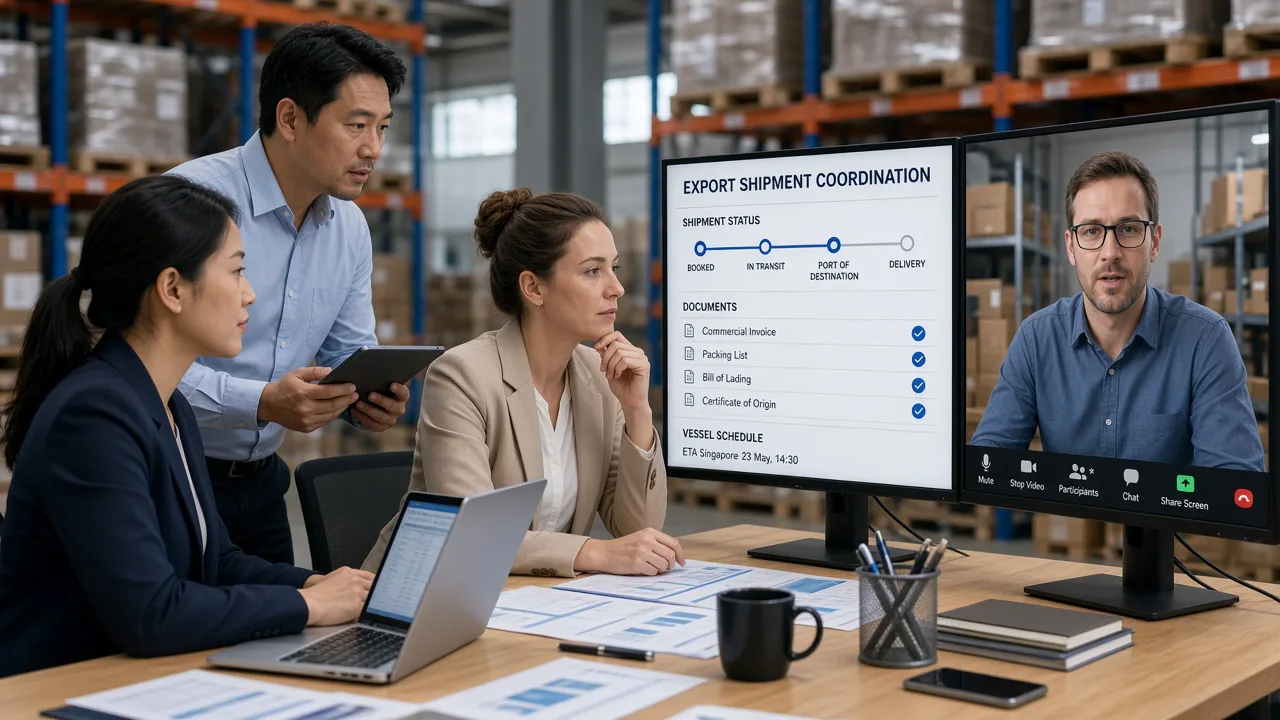
- Document Pack: Commercial invoices, packing lists, contracts, certificates of origin, etc., with fields automatically populated from SO and Shipment.
- Foreign exchange settlement and reconciliation: Payment collection registration, expense allocation, and gross profit calculation can all be exported with one click by order dimension.
In the letter of credit scenario, addL/C terms review: The system compares L/C requirements with the document package fields (latest shipment date, beneficiary, goods description), highlighting discrepancies to reduce bank document rejection.
Design Logic: Role Division and Approval
The foreign trade chain is long, with many roles and fine-grained permissions:
- Sales: Build SOs, view customer credit limits, and track shipment statuses.
- Procurement: Review SO requests, place POs, and enter supplier delivery dates.
- Documents: Generate document packages, export PDFs, and submit for approval; the sales price cannot be modified.
- Warehouse: Pick and pack according to the Shipment, and report back the actual number of cartons packed along with the gross and net weights.
- Finance: Collections, expenses, and gross profit—lock settled foreign-exchange orders to prevent tampering.
Approval workflow example: SO exceeding the credit limit → approved by the Sales Manager; price below the floor price → approved by the General Manager; document package generated → locked after review by the Document Supervisor. After locking, any order modifications must go through a change order, with version comparisons retained.
Development and Implementation: Master Data, Templates, and Interfaces
- Master Data: Customers, suppliers, SKUs (including Chinese and English product names, HS codes, and declaration elements), ports, and shipping companies are maintained in a unified manner; manually entering lengthy text into orders is prohibited.
- Document template: Word/PDF template placeholder mapping system fields—modify once, update all, avoiding manual file name changes.
- Logistics tracking: Integrate with freight forwarder APIs or shipping company EDI to write back the bill of lading number, sailing date, and arrival date.
- exchange rate: Lock the exchange rate based on the order date or the shipment date, enabling traceable gross profit calculations.
When integrating with the financial ERP, it is recommended to use “shipment confirmation” as one of the revenue recognition triggers (subject to accounting standards) to prevent situations where sales have been shipped but the finance department has not yet recorded the transaction.
Launch rhythm and measurement methods
By business scale, in stages:
- Step One: SO + PO + delivery-date alerts, eliminating the disconnect between sales and procurement. Acceptance: Delivery-date changes are entered once and visible to all.
- Step 2: Shipment + document package automatically generated. Acceptance: Document preparation time has been reduced from the average of2 daysPress down on4 hoursInternal (depending on the product category).
- Step 3: Reconciliation and gross profit reporting. Acceptance: Monthly reconciliation discrepancies can be traced back to specific order lines.
The value of the foreign trade order system lies not in having an additional, attractive dashboard, but in enablingEach field is maintained only once., ensuring that the versions visible to banks, customers, and customs align with the internal decision-making version.
Startup Recommendations for Small and Medium-Sized Foreign Trade Teams
Annual export volume is in30 million–200 millionThe RMB team typically has between several hundred and several thousand SKUs, and the documentation staff…2–5 people. At this point, there’s no need to pursue “global multi-legal-entity consolidated reporting”; first, focus on SO line-levelBy standardizing the five-tuple of product name, quantity, unit price, delivery date, and box number, half of reconciliation disputes can be eliminated. Credit letter clause verification can initially be implemented as an “manual checklist + system field comparison,” without needing to process bank SWIFT messages right from the start.
Start with a single master order table—this is more pragmatic than diving straight into the “full-fledged Trade Cloud” right away; first, tackle the biggest pain point: version chaos. Once the documentation team can, before shipment,30 minutesInternal confirmation that “the invoice and the gross/net weights on the packing list match the warehouse’s actual measurements,” rather than the system having already recouped its investment by the time eight Excel versions were revised overnight.
Claims and Evidence: The document chain is the evidence chain.
Customer quality objections often arise after the goods arrive at the port.30–90 days. If the system could instantly retrieve the inspection report number, sample‑approval records, container‑loading photos, and the version of the contract terms in effect at the time for each shipment, the evidence‑gathering period could be shortened from several weeks to just a few days. It is recommended that, upon shipment closure, an “Export File Package” PDF index be automatically generated, with read‑only access shared between legal and after‑sales teams, to prevent email loss when personnel leave. For teams handling multi‑currency settlements, it is also necessary to lock the conversion rules for “quote currency” and “settlement currency” at the order level, to avoid unexplained gross‑margin discrepancies that arise when sales quotes are in USD but finance accounts in RMB.